Posts Tagged ‘windows’
You just arrived at work, and found a message from nagios telling you got a problem with a server. So, you go to ground floor, enter into data center, connect to kvm console any monitor and then see this:
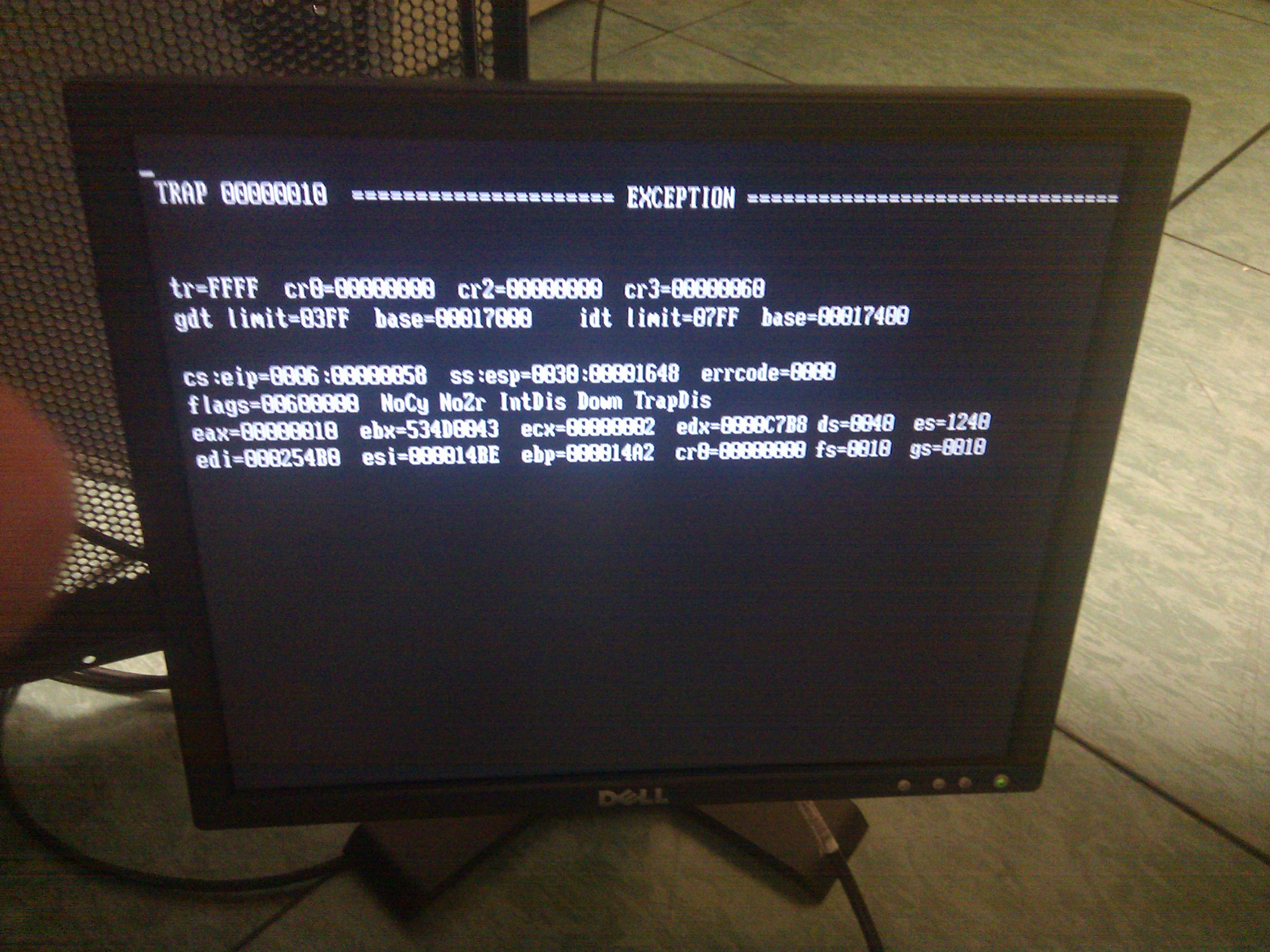
So, reboot the server, and at the end of run BIOS check, you get this again. Ok, next move is load a Rescue LiveCD to check if something is wrong. But the CD couldn’t load, it stopped running Grub ;(
Well, next move was check memory slots, I removed first slot and rerun server… and bingo! That’s it!
To ilustrate this error, I write down complete message:
TRAP 00000010  ======================== EXCEPTION ========================
tr=FFFF  cr0=00000000  cr2=00000000 cr3=00000060
gdt limit=03FF  base=00017000     idt limit=07FF  base=00017400

cs:eip=0006:00000058  ss:esp=0030:00001648  errcode=0000
flags=00600000  NoCy NoZr IntDis Down TrapDis
eax=00000010  ebx=534D0043  ecx=00000002  edx=0000C7B8  ds=0040  es=1240
edi=000254B0  esi=000014BE  ebp=000014A2  cr0=00000000  fs=0010  gs=0010
I never tried to install a Windows 2003 server with IIS and PHP, but yesterday, i finally assumed that all you can do with Apache with mod_proxy, mod_rewrite and mod_deflate and PHP, will multiply the potency opposite IIS.
First of all, try to install PHP using MSI installer that you could download from http://www.php.net/downloads, it makes nothing on your system – “Thanks God to invent visual interfaces, i won’t forget the expresion ‘Next, Next, Next, and…. Finish’” – and your face start to frown and exclaim: “***ing Windows!!!”
Later that, you achieve to view a page with <?php phpinfo(); ?>, but not, you see there are some modules missing and not loaded. So, where is the path to php.ini? Ok, it’s on C:\Windows\php.ini. Let’s copy it to that directory and uncomment extension to load them.
Ok, let’s start a Drupal installation… Oh! Gosh! When you drupal try to access to mysql to install DB you got: “PHP has encountered an Access Violation at 01B2AC5A”. Well, let’s see again. I found this:http://www.experts-exchange.com/Web/Web_Languages/PHP/PHP_Windows/Q_21059061.html. And it doesn’t solve my problem. WTF!
I never remember how difficult it’s to install PHP on IIS. I never forget how easy is to do it on Gentoo:
emerge -q apache php
yes… don’t forget activate USE’s 
Download installer from http://pandion.im/pandion_setup.msi
Then, execute next command:
msiexec.exe /i pandion_setup.msi ALLUSERS=1 LAUNCHAPP=yes